
Electronic 1099 Instruction Guide
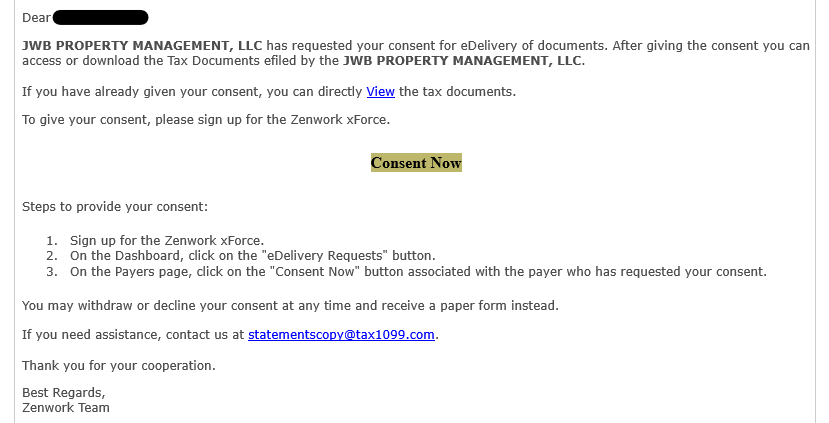
You will receive an email from statements@tax1099.com as show below. Please click the “Consent Now” link which will take you to the login page for the Document Retrieval Portal.
Enter your individual login credentials. Please input the same email address that you received the email from Zenwork / Tax 1099.
a. If you used our eDelivery service to access your 1099 in the prior year, please enter the password you created last year. If the password has expired or you cannot remember it, please click the Forgot Password link.
b. If you did not use our eDelivery service in the prior year, please select the link “Sign Up”

Navigate to the My Payers section and please select “Consent Now.” If you do not see this option, you might need to refresh your page or navigate to the Tax Documents section, and then back to the My Payers section.

Once Consent has been given, your 1099 will be available for download in the Tax Documents section:

Please note: If you are receiving multiple 1099s from multiple JWB Companies, you will only have one login which will allow you to view all 1099s.
By submitting your email address and mobile number when submitting a form on our website, you agree to receive emails and text messages from JWB Companies regarding your submission or other industry-related information. You can opt out anytime. Message & data rates may apply. View Privacy Policy.